
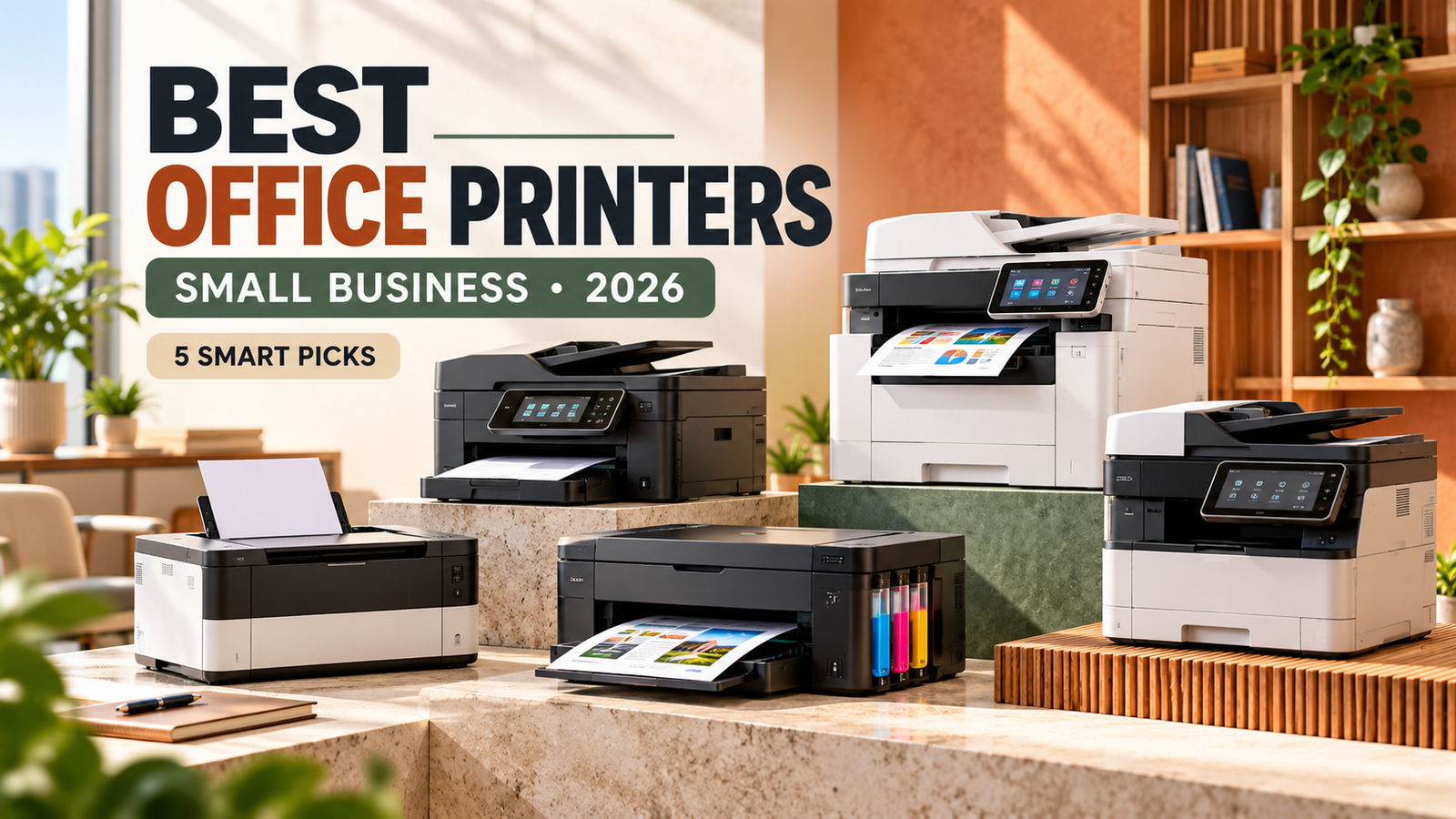
The best office printers for small businesses in 2026 should deliver reliable performance, affordable running costs, and the features employees actually need. Whether you operate a home office, accounting firm, retail business, or growing company, choosing the right printer can save money, reduce document delays, and improve everyday productivity.
However, buying an office printer is not as simple as choosing the cheapest model. A printer that costs $180 initially may become expensive when replacement toner, ink, maintenance, and paper expenses are included. Meanwhile, a more expensive printer with refillable ink tanks or high-yield toner can offer better value for companies printing hundreds of pages every month.
Modern business printers also provide features that were once limited to larger office equipment. Automatic duplex printing, wireless connectivity, document scanning, mobile printing, and security controls can make a considerable difference in how efficiently a business operates.
In this guide, we compare five office printers available to U.S. buyers in 2026, examine their official specifications, discuss their strengths and limitations, and explain how to calculate long-term operating costs.
These recommendations are based on published product specifications, prices, and intended workloads rather than hands-on testing.
Best Office Printers for Small Businesses: Quick Comparison
Different businesses require different printing solutions. An office that mainly prints black-and-white invoices may not need an expensive color printer, while a marketing business printing colorful presentations may benefit from refillable ink technology.
The following models offer useful options for different office requirements.
| Office printer | US reference price | Printing type | Best suited for |
|---|---|---|---|
| Brother HL-L2460DW | $179.99 | Monochrome laser | Affordable black-and-white printing |
| Brother MFC-L2820DW | $279.99 | Monochrome laser all-in-one | Small offices needing a scanner |
| Epson EcoTank ET-4950 | $499.99 regular price | Color refillable ink tank | Frequent color printing |
| HP Color LaserJet Pro MFP 3301fdw | $539.99 retailer listing | Color laser all-in-one | Color documents and connected offices |
| Brother MFC-L3780CDW | $569.99 | Toner-based digital color all-in-one | Busy small-business workgroups |
Prices are U.S. manufacturer reference prices except the HP figure, which comes from a Best Buy listing. Epson was also displaying a temporary discount when checked. Prices, stock, promotions, and taxes may change. Verified October 17, 2026.
These models are not ranked by laboratory print quality. Instead, each offers a different combination of features, purchase cost, and suitability for a particular type of office.
1. Brother HL-L2460DW — Best Budget Office Printer for Black-and-White Documents
The Brother HL-L2460DW is a practical option for small businesses that need affordable document printing without advanced scanning or color capabilities.
With a listed price of $179.99 on Brother’s U.S. website, this monochrome laser printer provides a relatively accessible entry point into office printing.
It produces black-and-white documents at advertised speeds of up to 36 pages per minute. This can be useful for printing invoices, business letters, reports, shipping paperwork, and employee documents.
A 250-sheet paper tray helps reduce frequent paper refills, while automatic two-sided printing can lower paper consumption.
The machine also supports Ethernet and dual-band wireless connections, allowing it to be shared across a small office network.
Brother HL-L2460DW Key Specifications
| Feature | Specification |
|---|---|
| Printing technology | Monochrome laser |
| Advertised speed | Up to 36 ppm |
| Paper tray | 250 sheets |
| Automatic duplex | Yes |
| Connectivity | Wi-Fi, Ethernet, USB |
| Scanning and copying | No |
| Manufacturer price | $179.99 |
Why It Makes Sense for Small Businesses
The main advantage of this printer is simplicity.
If your business prints mostly contracts, invoices, packing lists, and internal documents, you may not need to pay extra for color printing.
Monochrome laser printers can also be convenient for offices where printing happens irregularly because toner does not dry out like liquid ink.
However, there are limitations. The HL-L2460DW cannot scan or copy documents, and it cannot produce color output.
Businesses that regularly digitize documents may need a separate scanner or multifunction printer.
The machine also uses a replaceable drum unit, which should be considered when estimating long-term operating expenses.
Best fit: Home offices, freelancers, small retail offices, and businesses with mainly black-and-white printing needs.
2. Brother MFC-L2820DW — Best Affordable All-in-One Office Printer
Some businesses need more than printing but still want to control equipment expenses.
The Brother MFC-L2820DW provides printing, copying, scanning, and faxing in one device.
Its manufacturer-listed U.S. price of $279.99 positions it as a relatively affordable multifunction option for offices that do not require color printing.
According to Brother, the machine can print and copy at speeds of up to 34 pages per minute.
It also features a 50-sheet automatic document feeder, making it easier to scan or copy multipage business documents.
For example, an accounting office that regularly handles customer statements may benefit from scanning an entire stack of documents rather than placing each page manually on the scanner.
Brother MFC-L2820DW Features
The printer includes automatic two-sided printing, a 250-sheet paper tray, Ethernet connectivity, dual-band Wi-Fi, and a 2.7-inch color touchscreen.
A particularly useful feature for small offices is its ability to combine several document tasks without requiring multiple devices.
However, its multifunction capability does not include color printing.
Businesses creating colored marketing materials or presentation handouts will need another solution.
Is the MFC-L2820DW Worth the Extra Cost?
Compared with the HL-L2460DW, this model costs approximately $100 more based on their listed prices.
That additional expense brings scanning, copying, faxing, an automatic document feeder, and a touchscreen.
For a business that needs those functions regularly, the difference may be reasonable.
However, buyers should also compare the prices of TN830-series toner supplies and the DR830 replacement drum.
Best fit: Accounting offices, insurance agencies, consultants, and small businesses needing multifunction document handling without color.
3. Epson EcoTank ET-4950 — Best for Frequent Color Printing
Color printing can become one of the largest ongoing expenses for a small business.
Traditional cartridge printers may require frequent replacements when employees regularly print charts, presentations, and colorful customer documents.
The Epson EcoTank ET-4950 takes a different approach by using refillable ink reservoirs rather than conventional disposable ink cartridges.
Its regular U.S. manufacturer price was listed at $499.99, although Epson was displaying a discounted price of $369.99 when checked in October 2026.
The ET-4950 can print, copy, scan, and fax, making it useful for businesses that want both color printing and document-management functions.
Epson EcoTank ET-4950 Specifications
| Feature | Specification |
|---|---|
| Printing technology | Refillable color inkjet |
| Black print speed | Up to 18 ISO ppm |
| Color print speed | Up to 9 ISO ppm |
| Standard paper tray | 250 sheets |
| Automatic duplex printing | Yes |
| Automatic document feeder | Yes |
| Functions | Print, copy, scan, fax |
| Regular listed price | $499.99 |
Why Refillable Ink Matters
Epson advertises that the included ink can produce up to 6,600 black pages or 5,500 color pages under its specified testing methodology.
That can delay the need to purchase replacement supplies, especially for offices printing ordinary documents rather than ink-heavy graphics.
The printer is potentially attractive for businesses that regularly create customer presentations, colorful reports, educational materials, or internal charts.
However, the amount of ink used depends on the content being printed.
Photographs, full-page color backgrounds, and dense graphics can consume considerably more ink than standardized test documents.
Important Limitations
The ET-4950’s advertised color printing speed is lower than those of some color laser models in this comparison.
Additionally, inkjet printers may require nozzle checks and cleaning when print quality declines.
Businesses printing only a handful of pages each month should consider whether a refillable ink system is worth the higher initial investment.
Best fit: Home businesses, schools, consulting offices, and small companies producing regular color documents.
4. HP Color LaserJet Pro MFP 3301fdw — Best for Connected Color Offices
The HP Color LaserJet Pro MFP 3301fdw is designed for small workgroups that need fast color output and multifunction capabilities.
It combines printing, copying, scanning, and faxing, supported by wireless networking and Ethernet connectivity.
HP lists print speeds of up to 26 pages per minute for both black-and-white and color documents.
This makes it a practical model to investigate when employees frequently prepare reports, customer presentations, charts, and office paperwork.
A Best Buy product listing showed the printer at $539.99 when checked. Retail prices may change.
HP Color LaserJet Pro MFP 3301fdw Key Features
The printer includes automatic two-sided printing, a 250-sheet main paper tray, a 50-sheet document feeder, and a 4.3-inch color touchscreen.
It also supports automatic two-sided document scanning, which may be useful for offices processing contracts or other double-sided originals.
HP advertises security functionality under its Wolf Pro Security branding.
These features can be relevant to offices handling customer information or sharing the printer across several employees.
What Buyers Should Consider
The main running-cost consideration is color toner.
Unlike an ink tank machine, the HP uses four toner cartridges.
A business printing a large percentage of color documents should calculate replacement toner expenses before purchasing.
The printer also uses HP’s dynamic security technology, which may restrict certain cartridges that do not use approved HP chips or circuitry.
Buyers who prefer specific third-party supply options should review the manufacturer’s cartridge compatibility policies carefully.
Best fit: Small workgroups needing connected color printing, scanning, and office security features.
5. Brother MFC-L3780CDW — Best for Busy Small-Business Workgroups
The Brother MFC-L3780CDW is a toner-based digital color multifunction printer designed for demanding small-office document workflows.
At a manufacturer-listed price of $569.99, it costs more than the budget models in this guide, but it offers additional productivity features.
Brother advertises printing speeds of up to 31 pages per minute for both black-and-white and color output.
The machine also supports duplex scanning and copying, wireless networking, Gigabit Ethernet, and a 50-sheet document feeder.
Its 3.5-inch touchscreen helps users navigate printing and scanning functions.
Business Productivity Features
One useful capability is single-pass two-sided document scanning, which can reduce manual handling when processing double-sided paperwork.
The device also includes NFC card-reader functionality for user authentication.
For an office handling financial documents, contracts, and other sensitive records, access controls may provide practical benefits when properly configured.
Brother lists a recommended monthly print volume of up to 4,000 pages for this model.
That number is more useful for everyday planning than relying solely on the much higher maximum monthly duty cycle.
Long-Term Expenses
The Brother MFC-L3780CDW uses separate toner cartridges and additional imaging components.
Businesses should account for future drum, waste-toner box, and belt replacement as applicable.
The manufacturer lists starter supplies in the box, but these should not be confused with an unlimited operating supply.
Best fit: Growing offices, professional service firms, and small workgroups that regularly print and scan substantial numbers of documents.
Which Office Printer Is the Best Value in 2026?
The best value depends on the documents your business produces and how often you print them.
A business primarily printing black-and-white invoices may find the Brother HL-L2460DW sufficient.
An office needing scanning and copying without color may prefer the Brother MFC-L2820DW.
Businesses printing colorful documents frequently should examine the Epson EcoTank ET-4950 and its refillable ink system.
Meanwhile, offices needing faster color printing and more advanced document handling may benefit from comparing the HP Color LaserJet Pro MFP 3301fdw with the Brother MFC-L3780CDW.
The important point is that purchase price and long-term value are not the same thing.
How Much Does It Cost to Run an Office Printer?
Office printer operating expenses include ink or toner, paper, replacement parts, electricity, and occasional maintenance.
For some businesses, the cost of consumables over three years can exceed the original printer purchase price.
The simplest way to compare printing expenses is to calculate the estimated cost per page.
How to Calculate Printer Cost Per Page
The formula is:
Consumable cost per page = Replacement supply price ÷ Rated page yield
For example, suppose a high-yield black toner cartridge costs $90 and is rated for 3,000 pages.
The estimated toner expense would be $0.03 per page.
Printing 500 pages every month would produce an estimated monthly toner cost of $15 under those assumptions.
This calculation does not include paper, maintenance, and other operating expenses.
For color printing, businesses should consider the combined contributions of all relevant ink or toner colors.
Example: Three-Year Printing Budget
Consider a fictional small office printing 400 pages monthly, with half of its pages in black-and-white and half in color.
Over three years, the company would print 14,400 pages.
The following example compares three hypothetical equipment choices.
| Expense | Cartridge inkjet | Color laser | Ink tank |
|---|---|---|---|
| Assumed purchase price | $220 | $550 | $420 |
| Black supply cost/page | $0.04 | $0.035 | $0.007 |
| Color supply cost/page | $0.17 | $0.14 | $0.012 |
| Three-year supplies | $1,512 | $1,260 | $136.80 |
| Equipment + supplies | $1,732 | $1,810 | $556.80 |
These are illustrative assumptions, not tested costs for the recommended products. The model excludes included starter supplies, paper, electricity, maintenance, taxes, and resale value. Actual printing costs may differ substantially.
This example demonstrates why a higher initial purchase price does not automatically mean higher overall operating expenses.
It also shows why a printer recommendation should reflect the expected printing workload rather than purchase price alone.
Laser vs Ink Tank vs Cartridge Inkjet for Small Businesses
Each printing technology has advantages.
Monochrome laser printers are practical for offices handling mainly text-based documents. Their toner supplies do not dry out, which can be helpful when printing is irregular.
Color laser and LED printers are worth considering when a business needs consistent document output, relatively fast printing, and multifunction features.
Cartridge inkjets may suit businesses with occasional color requirements and limited upfront budgets.
Refillable ink tank printers deserve attention when ongoing color ink costs are a major concern.
However, no technology is universally the cheapest. A fair comparison should account for equipment price, supplies, maintenance, document coverage, and the number of pages printed each month.
Important Features to Look for in a Business Printer
Automatic Duplex Printing
Automatic duplex printing allows the printer to produce documents on both sides of a sheet without manual intervention.
For offices printing lengthy reports and internal paperwork, this can reduce paper use.
It is particularly valuable when employees regularly print multipage documents that do not need single-sided formatting.
Automatic Document Feeder
An automatic document feeder, commonly called an ADF, helps users scan or copy multiple pages without placing every sheet individually.
For an accounting office handling customer documents, this can save considerable time.
Buyers should distinguish between ordinary ADF scanning and duplex ADF scanning because they are not the same feature.
Wireless and Ethernet Connectivity
Wireless printing can make equipment more convenient for teams using laptops and mobile devices.
Ethernet can provide a stable wired network connection for a shared printer.
Businesses should check whether the device supports their existing computers, network infrastructure, and security requirements.
Secure Printing and User Controls
Printers connected to company networks can process sensitive information.
Features such as user authentication, secure printing, firmware updates, and network access controls may help reduce risks when configured correctly.
Businesses handling confidential financial, legal, or customer records should consider these features before purchasing.
How to Choose the Right Printer for Your Monthly Workload
Monthly printing volume is one of the most important measurements when selecting office equipment.
A business printing fewer than 200 pages monthly may prioritize a small purchase price and basic features.
An office producing several hundred pages monthly should examine supply costs and multifunction capabilities more closely.
Companies producing thousands of pages every month need to pay particular attention to the manufacturer’s recommended monthly volume, paper handling, maintenance requirements, and service availability.
The maximum monthly duty cycle should not be treated as the ideal everyday printing volume.
A printer may be capable of producing a large number of pages during an unusually busy period without being suitable for that workload every month.
Businesses expecting growth should also consider whether the printer will accommodate future document volumes.
Should Small Businesses Buy or Lease Office Printers?
Buying is often worth considering for smaller offices because it provides ownership and avoids ongoing equipment leasing obligations.
A business purchasing a suitable printer can continue using it for several years while paying for supplies and maintenance as needed.
Leasing may be useful when a company needs expensive commercial equipment but wants to spread payments over time.
However, contracts may include financing charges, early termination rules, service fees, and end-of-term obligations.
Businesses considering that option can also read our guide to Printer Leasing vs Buying in 2026 for a broader explanation of equipment financing and ownership costs.
Before signing an agreement, compare the total cost of payments over the contract period with the estimated purchase and ownership expenses.
How to Reduce Printing Expenses in a Small Office
Printer selection is only the first step toward controlling costs.
Businesses can also reduce waste through better printing habits.
For everyday internal documents, black-and-white settings may be sufficient. Automatic two-sided printing can reduce paper consumption when appropriate.
Print preview should be used before large jobs to identify unnecessary pages, incorrect scaling, and unwanted formatting.
Employees should also check printer output quality before printing large batches of customer documents.
A simple color test page may reveal faded colors, missing lines, alignment problems, or inconsistent print density.
The free tools and resources available at ColorPrinterTestPage.com can help users examine printer output before producing important documents.
Testing cannot prevent every mechanical failure, but it can help identify print-quality problems before they create unnecessary waste.
Frequently Asked Questions
What is the best office printer for a small business in 2026?
The best option depends on the business’s printing requirements. The Brother HL-L2460DW is worth considering for affordable black-and-white printing, while the Epson EcoTank ET-4950 may appeal to businesses producing frequent color documents. The HP Color LaserJet Pro MFP 3301fdw and Brother MFC-L3780CDW offer additional features for connected workgroups.
What is the cheapest office printer to run?
A refillable ink tank printer can offer low consumable expenses for frequent color printing. However, a monochrome laser printer may also be economical when an office prints primarily black text. Compare actual consumable prices and page yields for specific models.
Are Brother printers good for business use?
Brother offers several printers designed for business documents, including compact monochrome models and multifunction color devices. Suitability depends on expected printing volume, required features, and supply costs.
Is HP or Epson better for an office?
HP’s color laser models may appeal to businesses prioritizing toner-based document printing and connected office features. Epson’s EcoTank models may be attractive to users seeking refillable ink and lower ongoing color consumable costs. Neither brand is automatically better for every workload.
How much should a small business spend on a printer?
The right budget depends on functions, volume, and operating costs. Some small offices can meet their needs with equipment costing less than $300, while businesses requiring regular color output and advanced document handling may spend $400–$600 or more.
Should I buy a color or black-and-white office printer?
If most documents are invoices, contracts, or ordinary text reports, a monochrome printer may be enough. If the business regularly creates presentations, colored charts, or marketing materials, a color printer may be more appropriate.
How often should an office printer be replaced?
There is no universal replacement schedule. A printer should be evaluated based on reliability, repair costs, security updates, supply availability, and whether it can handle the company’s current workload.
Final Verdict: The Best Office Printers for Small Businesses in 2026
Choosing the right business printer requires balancing equipment prices, printing performance, and long-term expenses.
For small offices focused on economical black-and-white documents, the Brother HL-L2460DW is a strong candidate based on its specifications and price.
For offices that need scanning and copying, the Brother MFC-L2820DW provides additional functionality without requiring color printing.
Businesses producing frequent color documents should consider the Epson EcoTank ET-4950, particularly when ink expenses are a major concern.
Meanwhile, the HP Color LaserJet Pro MFP 3301fdw and Brother MFC-L3780CDW provide useful alternatives for workgroups needing faster color printing, document scanning, and business-oriented features.
Before purchasing any of these printers, compare replacement supplies, recommended monthly volumes, warranty conditions, and the estimated cost of ownership over at least three years.
The best office printer is the one that meets your company’s real printing requirements without adding unnecessary costs or complexity.
Sources and Product Price References
Product details and reference prices were checked against the following U.S. sources on October 17, 2026.
- Brother HL-L2460DW — Official Manufacturer Page
- Brother MFC-L2820DW — Official Manufacturer Page
- Epson EcoTank ET-4950 — Official Manufacturer Page
- HP Color LaserJet Pro MFP 3301fdw — Official Specifications
- Brother MFC-L3780CDW — Official Manufacturer Page
- HP Color LaserJet Pro MFP 3301fdw — Best Buy Retail Listing
Editorial disclosure: This article compares published specifications and prices. The printers were not independently purchased or hands-on tested for this guide. Product prices can change, and cost calculations using assumed rates are illustrative rather than actual quotations.