
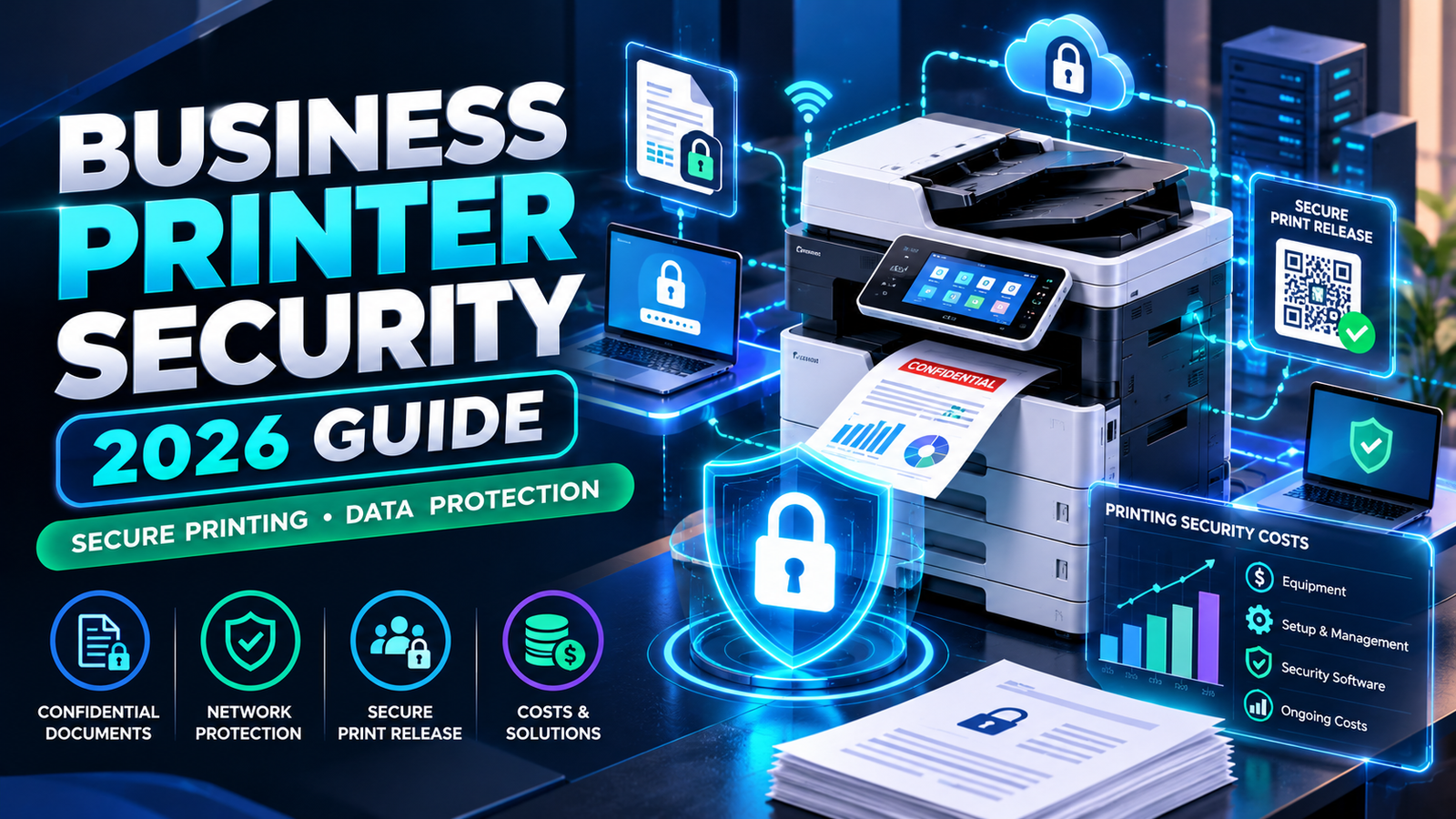
Business printer security is an important part of protecting confidential documents, customer information, and office networks in 2026. Modern printers are no longer simple machines that transfer text onto paper. Many business printers connect to corporate networks, store information, communicate with cloud platforms, and process sensitive documents every day.
Despite these capabilities, printing equipment is sometimes overlooked when companies review cybersecurity risks.
A business may spend thousands of dollars protecting computers and email accounts while leaving a shared office printer accessible with weak administrator credentials or outdated firmware.
The consequences can extend beyond wasted documents. Unauthorized access to printing systems may expose employee records, financial reports, customer information, or network settings.
For small businesses, protecting these systems does not always require expensive equipment. Many printers already include security capabilities that can be enabled through proper configuration.
Other organizations may benefit from dedicated print management software, secure document release, or managed print security services.
This guide explains business printer security in 2026, compares available protection methods, examines real software pricing, and provides practical steps for securing office printers without unnecessary spending.
Why Business Printer Security Matters More in 2026
The growing use of connected office equipment has made printer security an increasingly important part of business cybersecurity.
According to Quocirca’s Print Security Landscape 2026 research, 67% of surveyed organizations experienced at least one print-related data loss during the previous year.
The figure increased from 56% in the company’s 2025 research.
The 2026 study surveyed 400 IT decision-makers in the United States, United Kingdom, France, and Germany. Its findings describe the experiences of surveyed organizations rather than every small business.
The report also found that organizations with stronger print security practices reported fewer data loss incidents than organizations with less mature security measures.
These findings demonstrate the importance of treating printers as connected business devices requiring proper management.
Printers Can Handle Sensitive Business Information
Consider a small accounting office printing tax documents, payroll information, and financial statements.
If an employee sends a confidential document to a shared printer and leaves it unattended, another person may collect or read it.
A similar issue can occur in medical offices, law firms, insurance agencies, and human resources departments.
The problem is not always a sophisticated cyberattack.
Sometimes, information is exposed through ordinary workplace practices, such as forgetting printed documents or allowing unrestricted access to shared equipment.
Proper printer security should address both digital threats and physical document handling.
Common Office Printer Security Risks
Understanding the potential risks is the first step toward protecting business printing systems.
A printer connected to a company network may expose several points of vulnerability if it is not configured correctly.
| Security risk | Possible consequence | Recommended protection |
|---|---|---|
| Weak administrator passwords | Unauthorized configuration changes | Strong, unique administrator credentials |
| Uncollected documents | Confidential information exposure | Secure print release |
| Outdated printer firmware | Exposure to known vulnerabilities | Supported firmware updates |
| Unencrypted network traffic | Possible interception of documents | Secure printing protocols |
| Unrestricted network access | Unauthorized device connections | Network access restrictions |
| Stored document data | Sensitive information exposure after disposal | Proper media sanitization |
| Uncontrolled cloud integrations | Unauthorized access to connected services | Identity and permission management |
These risks do not affect every printer in the same way.
The actual exposure depends on the device model, supported functions, network environment, and business workflow.
A basic USB-connected printer used by one person has different security requirements from a multifunction copier serving an entire department.
What Features Should a Secure Business Printer Have?
When comparing secure office printers, businesses should look beyond printing speed and toner expenses.
Security capabilities can provide meaningful value, particularly when equipment handles confidential documents.
1. Secure Print Release
Secure print release is one of the most practical document protection features.
Instead of producing documents immediately, the printer or print management system holds a job until the authorized user confirms their identity.
Depending on the equipment, authentication may involve a PIN, employee identification card, smartphone, or supported account credentials.
For example, a payroll administrator may send salary statements to a shared printer.
With secure print release enabled, the documents remain in the printing queue until the administrator arrives at the device and authenticates.
This reduces the possibility of sensitive documents sitting unattended in the output tray.
Brother’s business security solutions include Secure Print and Secure Print+ features for supported devices.
PaperCut also offers authenticated document release through several print management products.
The exact authentication methods depend on the printer and software.
2. Administrator Access Controls
A shared office printer often has an administrative interface used to change network settings, manage users, and configure device services.
Access to this interface should be restricted.
Businesses should use unique administrator passwords and avoid leaving default credentials active.
Where supported, administrators can also restrict access to selected printer functions.
For example, employees may be allowed to print ordinary documents while only authorized staff can change network configurations or address books.
These controls help reduce accidental changes and unauthorized modifications.
3. Encrypted Printing Connections
Modern office printers may support encrypted network communication.
Internet Printing Protocol Secure, commonly called IPPS, uses TLS to help protect communication between devices and printing services.
Secure web management interfaces typically use HTTPS rather than unencrypted HTTP.
Some business printers also support encrypted network management through protocols such as SNMPv3.
However, support for a secure protocol does not guarantee that it is enabled or configured correctly.
Business owners should verify the actual settings with their IT administrator or equipment provider.
4. Firmware Security and Updates
Printer firmware controls many of the machine’s operating functions.
Like other connected devices, printers may require updates to correct bugs or address security vulnerabilities.
Some advanced business printers offer additional protections, including verified firmware, secure startup processes, and intrusion detection.
HP documents several embedded security technologies for selected enterprise printers, including HP Sure Start, firmware allowlisting, and runtime intrusion detection.
These features are not available on every HP printer.
Buyers should confirm security capabilities for the exact model and firmware version.
5. Secure Data Storage and Erasure
Some multifunction printers contain internal storage that can retain documents, settings, user information, or other data.
When a business sells, returns, or replaces such equipment, information may remain on its storage media.
The National Institute of Standards and Technology published SP 800-88 Revision 2 in September 2025, providing guidance for media sanitization and safe disposal or reuse.
Businesses should follow an appropriate sanitization process based on the device’s capabilities and the sensitivity of stored information.
A standard factory reset should not automatically be assumed to provide complete data sanitization.
Business Printer Security Costs in 2026
Securing a business printer does not have one universal price.
Some organizations can improve security using existing printer features and internal IT resources.
Others may need cloud print management, identity integration, card readers, or professional installation.
The correct budget depends on the number of printers, employees, locations, and required security controls.
Typical Printer Security Cost Components
| Security solution | Pricing approach | Main consideration |
|---|---|---|
| Built-in secure print feature | May be included in compatible printer | Setup and configuration time |
| Printer administrator controls | Often included | IT configuration |
| Firmware management | Updates may be available without separate charge | Staff time and device support |
| PaperCut Pocket | Starts at $1.90 per unique active user/month | Active-user subscription |
| PaperCut Hive | Reseller quotation | Number and type of managed devices |
| Microsoft Universal Print | Included in eligible licenses or purchased separately | License eligibility and print-job allowance |
| Badge reader or authentication hardware | Model-specific quotation | Compatibility and installation |
| Managed print security services | Custom provider quotation | Contract scope and service commitments |
Published pricing is included only where official providers provide a verifiable figure. Other items are described by their billing approach rather than assigning unsupported market averages.
Security spending should also account for ongoing administration, configuration reviews, employee training, and vendor support.
PaperCut Pocket Pricing for Secure Printing
PaperCut Pocket is one option for businesses that want centralized printing controls without relying entirely on traditional print servers.
According to its official product page, PaperCut Pocket subscriptions start at $1.90 per unique active user per month.
A unique active user is a person who interacts with the software during a billing period under the provider’s rules.
The platform offers secure mobile print release, user access controls, and printing management features.
Example PaperCut Pocket Subscription Costs
| Active users | Monthly cost at $1.90 | Annual cost |
|---|---|---|
| 5 | $9.50 | $114 |
| 10 | $19.00 | $228 |
| 15 | $28.50 | $342 |
| 25 | $47.50 | $570 |
| 50 | $95.00 | $1,140 |
These calculations use the published starting rate. They exclude applicable taxes, possible pricing changes, installation expenses, and other services.
The number of employees is not always identical to the number of billable active users.
For businesses with several shared printers, the software may provide useful security and reporting functions.
However, companies should confirm that their specific devices, operating systems, and authentication requirements are supported.
Microsoft Universal Print and Secure Printing
Businesses already using Microsoft 365 may have access to Universal Print under qualifying subscriptions.
Microsoft’s official documentation identifies Microsoft 365 Business Premium and selected enterprise plans as eligible for Universal Print.
The service supports cloud-based printer management and can provide identity-based printing workflows.
In 2026, Microsoft also introduced changes to the Universal Print secure release experience.
Its documentation states that, beginning August 18, 2026, supported QR-code-based job release moved from the Microsoft 365 Copilot app to a browser-based Universal Print portal.
This allows authorized users to release supported print jobs while physically present at the printer.
Understanding Universal Print Allowances
Universal Print measures its included printing volume in print jobs rather than printed pages.
For example, Microsoft’s commercial licensing documentation lists 100 monthly jobs contributed to the organizational pool by eligible Microsoft 365 Business Premium licenses.
Other eligible licenses may contribute different allowances.
A print job can contain more than one page, so job allowances should not be confused with page allowances.
Organizations may also need compatible printers, connectors, or additional licenses depending on their setup.
Businesses should review their Microsoft agreement and projected usage before assuming the service will have no additional cost.
How Much Should a Small Business Budget for Printer Security?
A useful security budget combines subscription costs with the time needed to configure and maintain the printing environment.
Consider a hypothetical professional office with 15 active print users and three shared printers.
The business decides to use PaperCut Pocket at its published starting subscription price.
It also estimates four hours of initial technical setup and two hours of quarterly maintenance reviews.
For financial planning, assume technician labor is valued at $75 per hour.
Illustrative First-Year Printer Security Budget
| Expense | First-year cost |
|---|---|
| PaperCut Pocket for 15 active users | $342 |
| Initial configuration: 4 hours × $75 | $300 |
| Quarterly reviews: 8 hours × $75 | $600 |
| Total estimated first-year cost | $1,242 |
This is a hypothetical labor-cost model rather than a real security service quotation.
It does not include printer purchases, hardware upgrades, taxes, additional licensing, or other IT expenses.
If the office already has compatible equipment with built-in secure release features, it may be able to implement suitable protections without purchasing a separate subscription.
On the other hand, a larger organization may need more extensive security management, identity integration, and monitoring.
The goal should be to purchase controls that match the actual risks rather than adopting expensive software simply because it is available.
How to Secure a Business Printer Network
Printer security should be included in the company’s general network protection strategy.
CISA and the NSA have highlighted default credentials as a common cybersecurity weakness, specifically noting that printers and scanners may contain administrative accounts or network credentials that attackers could misuse.
A small business can reduce exposure by following a structured configuration process.
Step 1: Create an Inventory of Connected Printers
Start by identifying every device connected to the business network.
Record the manufacturer, model, physical location, network address, firmware version, and person responsible for administration.
Include unused and older printers that remain connected.
A forgotten printer can still create security risk if its network services remain active.
Step 2: Change Administrator Credentials
Replace manufacturer-supplied default administrator credentials with strong, unique passwords.
Where available, enable additional authentication controls for administrative accounts.
Store credentials securely and limit access to authorized personnel.
Businesses should also review scanning accounts and other credentials stored in printer settings.
Step 3: Restrict Unnecessary Network Access
Printers should normally be accessible only to the users, systems, and services that need them.
Depending on the network, this may involve firewall rules, controlled network segments, or printer-specific access restrictions.
Avoid exposing printer administration interfaces directly to the public internet.
Remote management, where required, should use a properly secured connection and authorization process.
Step 4: Disable Unnecessary Services
Some printers support numerous protocols and functions that a business may not use.
For example, a company that never uses faxing or direct USB printing may be able to disable those functions on compatible equipment.
However, administrators should confirm which services are necessary before changing settings.
Disabling required features without planning can interrupt printing or scanning workflows.
Step 5: Maintain Supported Firmware
Check the manufacturer’s official support resources for firmware updates and known security advisories.
Updates should be evaluated, tested where practical, and applied through a controlled process.
Organizations using older unsupported equipment should consider whether continued operation creates an unacceptable risk.
Step 6: Enable Secure Print Release
For shared printers handling confidential documents, enable an appropriate print-release method.
PIN-based printing may be sufficient for some small offices.
Larger organizations may prefer employee cards, centralized identity integration, or compatible cloud printing solutions.
The objective is to ensure documents are released to the intended user.
Step 7: Monitor and Review
Assign responsibility for reviewing printer configurations and service accounts.
Where supported, logs can help identify unusual administrative activity or repeated authentication failures.
Review permissions whenever employees change roles or leave the company.
Printer security should remain part of the company’s normal IT maintenance process.
Secure Printing for Accounting Firms, Law Offices, and Medical Practices
Different industries have different document protection requirements.
Accounting and Financial Offices
Accounting firms regularly handle tax documents, payroll reports, bank information, and confidential client records.
Unattended printouts can expose information even when the office network is otherwise well protected.
Secure release, restricted access, and appropriate document disposal practices may reduce this risk.
Law Firms
Law offices often process contracts, legal correspondence, confidential client files, and litigation materials.
Shared printers should be configured to minimize unauthorized access.
Staff should also understand how to identify and collect their own documents.
A secure printing system can support document confidentiality, but it does not replace broader information security policies.
Healthcare Offices
Healthcare organizations may handle sensitive patient information.
Printing environments should be evaluated as part of the organization’s applicable privacy and security obligations.
In the United States, relevant HIPAA requirements may apply to covered entities and business associates.
However, purchasing a printer advertised as secure or HIPAA-friendly does not automatically establish legal compliance.
Healthcare organizations must assess their complete systems, policies, access controls, and business relationships.
Best Secure Printer Features for Small Businesses
Small businesses do not always need enterprise-level equipment.
The most useful features depend on the amount and sensitivity of information being printed.
| Printer security feature | Small office | Growing business | Large workgroup |
|---|---|---|---|
| Unique administrator credentials | Essential | Essential | Essential |
| Supported firmware updates | Essential | Essential | Essential |
| Encrypted network communication | Important | Important | Important |
| Secure print release | Recommended for sensitive documents | Strongly recommended | Strongly recommended |
| Role-based access controls | Useful | Important | Important |
| Centralized identity management | Optional | Useful | Often valuable |
| Security reporting | Basic monitoring | More detailed monitoring | Centralized monitoring |
| Secure data sanitization | Required when applicable | Required when applicable | Required when applicable |
This table provides general recommendations rather than mandatory legal requirements.
Businesses should consider their own risk assessments and relevant regulations.
Which Printer Brands Offer Business Security Features?
Major printer manufacturers offer a range of security capabilities.
However, features vary significantly between products from the same company.
HP Business and Enterprise Printers
HP provides security technologies for selected business and enterprise printing products.
Examples include secure firmware validation, runtime intrusion detection, and device management controls.
HP’s enterprise security documentation identifies compatible models and supported protections.
Businesses should not assume that every HP printer includes all enterprise security features.
Brother Business Printers
Brother offers secure print release, access restrictions, network security protocols, and administrator controls on selected business printers.
For example, the Brother HL-L6415DW enterprise monochrome laser printer lists security features including secure print, integrated NFC card reader, IP filtering, TLS, IPSec, and 802.1X support.
These specifications can help businesses compare security requirements before purchasing.
Other Enterprise Printer Manufacturers
Canon, Epson, Ricoh, Xerox, Sharp, and other manufacturers also offer business printer management and security features across eligible product ranges.
Rather than selecting a printer solely because of the brand, compare the exact model’s capabilities, firmware support, authentication options, and compatibility with your organization’s IT environment.
Cloud Printing Security in 2026
Cloud printing can simplify document access for employees working across multiple offices or from remote locations.
However, sending print jobs through cloud-connected systems creates additional considerations.
Businesses should understand where documents are processed, how long print jobs are retained, who can access them, and which identity controls are supported.
A reliable provider should explain its approach to encryption, authentication, logging, and data retention.
Companies should also review administrator privileges and remove access when employees leave.
Where supported, a secure release workflow can help prevent documents from printing until the authorized person arrives at the selected printer.
Cloud printing should be evaluated as part of the overall cybersecurity environment rather than treated as automatically safe or unsafe.
Printer Security and Employee Training
Technology alone cannot prevent every information exposure.
Employees who leave confidential documents in output trays can create risks even when printers use encrypted connections.
Training should therefore include practical document-handling rules.
Staff should understand when secure release is required, how to identify their own print jobs, and where sensitive printed records should be stored.
Employees should also avoid placing confidential documents in ordinary recycling bins when secure disposal is required.
A small office may benefit from placing shared printers in supervised or access-controlled areas.
Simple procedures can be particularly useful when organizations handle customer records or financial information daily.
Secure Disposal of Old Printers and Copiers
Businesses should not overlook security when replacing printing equipment.
A multifunction copier may contain internal storage, document history, address books, scan destinations, or administrator credentials.
Before selling, recycling, returning, or donating equipment, determine what data the machine may store.
Follow the manufacturer-supported sanitization process appropriate to the device and the sensitivity of the information.
NIST SP 800-88 Revision 2 provides a useful framework for organizations designing media sanitization procedures.
For leased equipment, request written information about the provider’s data sanitization and return procedures.
Where appropriate, obtain evidence that required sanitization was completed.
A simple reset or deletion of visible documents should not be assumed to erase all information securely.
How to Compare Printer Security Software Quotes
Businesses considering print management software should request written quotations using consistent requirements.
Describe the number of employees, printers, offices, and monthly printing volume.
Explain whether secure release must work through PINs, employee badges, mobile devices, or existing identity accounts.
Ask about installation, licensing, support, software updates, and data retention.
Questions to Ask Before Purchasing
| Question | Why it matters |
|---|---|
| How is the product licensed? | Determines recurring costs |
| Is secure print release included? | Avoids unexpected add-on charges |
| Does it work with existing printers? | Reduces unnecessary hardware purchases |
| What authentication methods are supported? | Ensures compatibility with office workflows |
| Are setup and training included? | Reveals implementation expenses |
| Where are documents processed and stored? | Helps evaluate data protection |
| What happens when service ends? | Clarifies cancellation and data return |
| Are security updates included? | Helps evaluate ongoing protection |
A lower monthly subscription may not represent better value if essential features require additional products or extensive configuration.
Businesses should compare total ownership and operating expenses over the expected period of use.
Can Printer Security Reduce Printing Costs?
Security measures sometimes offer operational benefits beyond protecting information.
For example, secure print release can prevent unwanted documents from being produced immediately.
Employees may send a document to the printer and later discover that they no longer need it.
When jobs remain in a controlled queue until release, unused jobs can potentially expire without consuming paper or toner.
This can reduce waste in offices where abandoned print jobs are common.
However, savings depend on employee behavior, actual usage, and the printing system.
A secure printing solution should not be justified using guaranteed savings without supporting data.
Organizations should measure printing activity before and after implementation to assess whether the change provides operational benefits.
For additional information about general office printing expenses, read our High-Volume Printing Cost in 2026 guide.
Printer Testing and Quality Control
Printer security and print quality are separate but important parts of business printing management.
A secure printer can still produce poor output when toner is low, nozzles are blocked, or alignment settings are incorrect.
Businesses should regularly check printing quality, especially before producing large quantities of important documents.
A printer test page can reveal faded text, missing colors, uneven grayscale output, and visible alignment problems.
The free tools available at ColorPrinterTestPage.com can help users check basic printing performance.
However, a test page does not evaluate cybersecurity controls, detect malware, or verify that a printer is securely configured.
Security checks should be performed separately using appropriate administrative tools and manufacturer guidance.
Frequently Asked Questions About Business Printer Security
What is business printer security?
Business printer security refers to the technologies, settings, and procedures used to protect office printers, document workflows, and information processed by printing systems. It includes access controls, secure print release, network protection, firmware management, and appropriate data disposal.
Can office printers be hacked?
Yes. Network-connected printers may contain vulnerabilities or insecure settings that attackers can exploit. Risks vary by model, firmware, network configuration, and access controls. Regular updates and secure configuration can reduce exposure.
How much does secure printing software cost?
Pricing varies by product and licensing model. PaperCut Pocket advertises subscriptions starting at $1.90 per unique active user monthly. Other products may require reseller quotations, device-based licensing, or additional integration costs.
What is secure print release?
Secure print release holds a printing job until the authorized user confirms their identity. Authentication can involve a PIN, card, smartphone, or other supported method. It helps prevent confidential documents from being left unattended.
Is wireless printing safe for businesses?
Wireless printing can be appropriate when the network and printer are configured securely. Businesses should use supported wireless security, maintain firmware, restrict unnecessary access, and review printer permissions.
Do printers store confidential information?
Some multifunction printers store document data, address books, settings, or job information. The amount and type of stored information depend on the model and configuration. Businesses should review manufacturer documentation before disposal or reassignment.
Does a secure printer prevent every data breach?
No. Printer security features reduce particular risks but do not eliminate every possible threat. Employee behavior, network security, access management, and broader organizational policies remain important.
Is Microsoft Universal Print free for business users?
Universal Print is included with certain Microsoft 365 and enterprise subscriptions, subject to licensing and print-job allowances. Organizations without eligible licenses or requiring additional volume may incur extra charges.
Do small businesses need managed print security?
Not every small business requires a dedicated managed print security contract. Some can use existing device protections and internal administration. Businesses with multiple printers, sensitive information, or limited IT resources may benefit from professional management.
Final Thoughts
Business printer security in 2026 should be an important consideration for any organization that prints confidential documents or connects office printers to its network.
Modern printing equipment can offer useful security capabilities, including encrypted communication, user authentication, secure document release, firmware protection, and centralized management.
However, these features must be selected and configured appropriately.
Small businesses may be able to improve protection using existing printer settings and basic administrative controls.
Growing organizations may benefit from software such as PaperCut or services such as Microsoft Universal Print, depending on their equipment and licensing arrangements.
The best approach is to identify actual risks, verify compatible security features, and calculate implementation and ongoing costs before making a purchase.
A secure printing environment helps organizations protect sensitive documents, manage equipment responsibly, and support reliable business operations.
Sources and Research References
- Quocirca — Print Security Landscape 2026 — Published July 28, 2026. Research on printer security risks and information loss.
- NIST — Risk Management for Replication Devices — Guidance on managing information security risks involving printers and multifunction devices.
- NIST SP 800-88 Revision 2 — September 2025 guidelines for media sanitization and data disposal.
- Brother — Business Printer Security Solutions — Secure print release, access restrictions, and device protection.
- HP — Enterprise Printer Security Features — HP Sure Start, firmware validation, and intrusion detection.
- PaperCut Pocket — Official Pricing and Features — Subscription pricing, authentication, and secure print release.
- Microsoft — Universal Print Licensing — Eligible subscriptions and print-job allowances.
- Microsoft — Universal Print Secure Release — QR-code printing and 2026 platform changes.
- CISA — Common Cybersecurity Misconfigurations — Default credentials and connected-device risks.
Editorial note: Information reflects publicly available sources reviewed in October 2026. Product features and software pricing may change. Financial examples are illustrative, except where explicitly based on official published prices. This article is intended for general education, not as a guarantee of cybersecurity protection or regulatory compliance. Organizations should consult their IT security professionals for environment-specific decisions.